Good to Know / Smart home planning
7 Smart Home Upgrades for 2026: What Is Worth Installing?
Smart home upgrades are most useful when they solve a daily problem. For many Washington homeowners, that means dependable lighting controls, earlier leak alerts and heating schedules that fit the household. Premium features, such as a digital shower or heated bathroom floor, make sense when comfort is the goal and the installation fits the remodel.
This 2026 update explains seven practical options, what to check before buying and which decisions belong in the construction plan. Choose the features you need, then confirm how they behave without internet, what they cost to install and how they will be maintained.
Updated October 6, 2026

Which smart home upgrades are worth doing first?
Start with a problem you can describe in one sentence. Perhaps you leave lights on, worry about a washing-machine leak while away, or want a bathroom floor that is warm before breakfast. That problem gives you a better buying criterion than the number of features printed on a box.
For many households, leak alerts, reliable lighting controls and a compatible thermostat deserve attention before a voice-controlled shower or a new electrical panel. A premium feature can still be the right choice when it improves a daily routine. The point is to match the upgrade to the household rather than automate everything at once.
| Upgrade | Main reason to consider it | Check before buying |
|---|---|---|
| Lighting controls | Convenient everyday switching and schedules | Wiring, bulb compatibility and manual control |
| Leak detection | Earlier awareness of plumbing leaks | Alert-only sensor versus automatic valve |
| HVAC thermostat | Temperature schedules and remote adjustment | Exact heating system and wiring |
| Heated-floor control | Warm floors when the room is used | Floor sensor, electrical supply and flooring limits |
| Connected plumbing | Temperature presets or appliance monitoring | Valve access, power and service parts |
| Connected alarms | Additional notifications away from home | Approved installation and interconnection |
| Irrigation control | Watering that responds to conditions | Zones, landscaping and seasonal settings |
If you are planning a larger renovation, our Bellevue kitchen remodeling services can help put lighting, appliance locations and related construction decisions into the same project plan.
1. Smart lighting that everyone can use
A lighting upgrade should make the room easier to use for someone who has never opened the app. In a kitchen, that might mean separate control of task lighting, island pendants and a softer evening setting. In a bathroom, a simple low-light routine can be more useful than color-changing bulbs.
Smart switches versus smart bulbs
Choose a smart switch when you want to control a permanent lighting circuit from the wall as well as through an app. Choose smart bulbs when you want color adjustment, individual lamp control or a small trial before changing wiring. If a conventional switch cuts power to a smart bulb, its connected functions normally become unavailable.
Neither approach fits every fixture. A dimmer must match the lighting load and the bulbs must support the intended dimming method. Do not assume every LED will dim smoothly. Leviton, TP-Link Kasa and Eaton are examples to investigate, but compare the exact model rather than treating all products from a brand as interchangeable.
Older homes and neutral wires
The home’s construction year is not a reliable wiring test. Have an electrician identify the wiring at the actual switch location. Some controls need a neutral wire; purpose-built no-neutral products exist and may need a separate bridge. Leviton’s DN6HD is one example of that approach. Multiway switching, box space and load limits also affect the choice.

Smart plugs can be a useful starting point for a lamp. Use them only with equipment and loads allowed by their instructions. Avoid assuming that any plugged-in appliance is suitable for unattended remote switching.
2. Leak sensors and automatic water shutoff
Water monitoring is worth considering anywhere a small leak could remain unnoticed: under a sink, beside a water heater, near a washing machine or behind a refrigerator water connection. These devices can add an earlier warning, especially when the household is often away.
There are two different jobs here. A point sensor reacts to water reaching its location and may sound locally or send a phone alert. An automatic shutoff system includes a compatible valve that can close the supply under defined conditions. A sensor alone does not automatically stop a leak.
Moen Flo and Phyn are examples of systems to evaluate by model and installation requirements. Ask about pipe size, valve location, power, network coverage, calibration and manual operation. Establish who receives alerts and what that person should do. Otherwise, a notification can arrive while nobody knows where the valve is.
A shutoff device also cannot prevent every kind of water damage. Rain entering the building, groundwater, drain backups and water already escaping downstream may need different measures. Keep maintenance and waterproofing in the plan. Our Washington water damage restoration contractors guide explains the separate repair and reconstruction decisions when damage has already occurred.
3. A thermostat that fits your heating equipment
A smart thermostat can make temperature schedules easier to maintain and let you adjust the home while away. Look for ENERGY STAR certified smart thermostats, which are evaluated using real-world energy data. Certification does not promise a particular saving for your house.
Begin with the heating system. Central forced air, a heat pump, electric baseboards and a ductless system may need different controls. Check voltage, equipment stages, auxiliary heat and any manufacturer-specific control requirements before choosing an app or display. An incompatible thermostat can create more work than it saves.
Ecobee and Google Nest are familiar options, but their individual models have different capabilities. Google lists a fourth-generation Nest Learning Thermostat; a comparison that treats the third generation as the newest option is dated. Room sensors can help the thermostat respond to a chosen location, but they do not add ductwork or independently create heating zones.
Ask whether a common wire or another approved power solution is needed. Set a sensible schedule, review how the system responds and keep manual adjustment straightforward. Aggressive temperature changes are not automatically the best approach for every heat-pump installation.
4. Scheduled control for radiant floor heating
A warm tile floor is a comfort upgrade that is easiest to discuss before new flooring is installed. It is much more involved than changing a wall thermostat after the room is finished. The heating layout, floor sensor, electrical supply and floor height belong in the construction plan.
Schluter DITRA-HEAT and NuHeat offer floor-warming systems with compatible control options. Select the thermostat for the actual heating system, voltage and load. A conventional smart HVAC thermostat is not a substitute for the specified floor-heating control.
Schluter’s DITRA-HEAT-E-RS1 does support a manufacturer app and remote access. Scheduling can concentrate warming around the hours you use the room, but electric floor warming still consumes energy and should not be presented as a guaranteed money-saving upgrade.
Flooring temperature limits, sensor installation and the permitted heating area need careful coordination. Discuss the finished floor level at doorways and the relationship to waterproofing before installation. Our radiant floor heating systems guide covers the choices in more detail.
Check any incentive directly against the current utility program and eligible equipment list. A Wi-Fi floor thermostat does not, by itself, establish eligibility for a Washington rebate.
5. Smart showers and water-heater monitoring
A digital shower can offer temperature presets and convenient controls. That may be valuable for a shared bathroom, but it should be a deliberate comfort choice. It does not replace proper waterproofing, drainage, safe temperature control or enough hot-water capacity.
Moen and Kohler have digital shower systems, and their valves, controllers and optional accessories need to be selected as a complete compatible assembly. U by Moen is part of Moen’s shower offering, not a separate manufacturer to rank against Moen. Voice control and preset counts vary with the exact equipment.
Before tile closes the wall, confirm service access to the valve, power requirements, controller position and the number of shower outlets. Ask what happens if power or internet service fails and how a failed component would be replaced. Avoid burying equipment where a future repair requires unnecessary demolition.
Some water heaters offer connected monitoring, scheduling or alerts. Look at the exact model’s features and its heating performance first. An app should be an addition to suitable equipment, not the reason to buy a water heater that does not meet the household’s needs. For a larger room renovation, review our Bellevue bathroom remodeling services to coordinate plumbing and finish decisions.
6. Connected smoke and carbon monoxide alarms
Phone alerts can add useful information when you are away, but a connected alarm must still perform its basic job in the home. Prioritize approved equipment, correct placement, compatible interconnection and the specified backup power.
The U.S. Fire Administration’s smoke-alarm guidance calls for alarms in bedrooms, outside sleeping areas and on every level. It also stresses interconnection and regular testing. Follow the manufacturer’s instructions and local requirements for the actual installation; hardwired installation belongs with a qualified electrician.
Do not treat a smoke and CO alarm as a general indoor-air-quality monitor. Likewise, a phone notification is not the same as a monitored emergency dispatch service. Confirm exactly what an alert does and who is expected to respond.
For a 2026 comparison, older product availability matters. Google’s store lists Nest Protect as no longer available and lists the First Alert SC5 smart smoke and CO alarm as an option that supports compatible Nest Protect integration. Verify the required power version and supported interconnection before mixing alarms. An app badge alone is not enough.
7. Irrigation that follows landscape conditions
If the property already has an irrigation system, a controller that responds to weather or soil conditions can reduce unnecessary watering. This can be more useful than adding remote access to an unchanged timer schedule.
EPA WaterSense labels weather-based and soil-moisture-based irrigation controllers that meet its criteria. Rachio and Orbit B-hyve are examples to compare at the model level. Confirm the number of zones, supported sensors, network needs and any restrictions on the intended installation.
Good setup still matters. Sunny lawn, shaded beds and newly planted areas do not necessarily need the same schedule. Check sprinkler coverage and leaks, enter accurate landscape information and review the settings as seasons change. A smart controller cannot correct a broken head or a poorly designed irrigation zone.
Choose this upgrade when outdoor watering is an actual maintenance or water-use issue. For a household without an existing irrigation system, it may deserve a lower priority than interior leak detection or lighting controls.
Compatibility, internet loss and long-term support
Choose a control platform before buying devices
Decide whether the household prefers Apple Home, Google Home, Alexa or another platform. Then check each device’s exact supported functions. A brand may sell several product generations with different requirements, so broad claims that everything works with every assistant can be misleading.
Matter is a compatibility standard that can help supported products work across participating platforms. A Matter controller manages the devices; Matter-over-Thread products also need a Thread border router. These roles can be combined in some hubs or speakers. Matter is not the same thing as Wi-Fi, and it does not automatically put every manufacturer-specific feature into one app.
Prioritize straightforward local controls for essential everyday functions. Ask what continues to operate during an internet outage, whether schedules are stored on the device and which alerts depend on a cloud service.
Power backup and software support are separate decisions
A router battery backup may preserve part of the network, but it does not power a furnace, floor heater or the entire home. Batteries and generators for household circuits require a separate load and installation plan. A smart electrical panel, such as a SPAN system, can offer circuit monitoring and control; it does not create backup energy or increase the utility service capacity by itself.
Check how long the manufacturer intends to support the app and device. Google’s earliest Nest Learning Thermostats lost connected support in October 2025, illustrating why hardware life and connected-service life should be considered separately. Use unique account passwords, available multifactor authentication and supported software updates. Keep the homeowner account under the homeowner’s control.
How to budget for smart home upgrades during a remodel
Separate the device price from the installed project cost. A switch may be a small purchase, yet rewiring, extra control locations or finish repairs can change the work substantially. A digital shower may involve a valve, controller, power connection, service access and plumbing changes.
Request an estimate that identifies:
- The exact device models and any required hub or bridge.
- Electrical and plumbing labor, permits and inspections where applicable.
- Wall, tile or flooring work needed for installation.
- Initial setup, homeowner instruction and testing.
- Optional subscriptions, ongoing service costs and replacement responsibilities.
Do not use a device-only shopping price as an installed allowance. Likewise, avoid assuming that automation guarantees resale gains, an insurance discount or rebate eligibility. Confirm any incentive before counting it in the budget.
Plan features with concealed components while access is available. Lighting wiring, shower valves and floor heating should be discussed before finishes are installed. Lamps and standalone sensors can often be added later, which helps spread spending without postponing the important construction decisions.
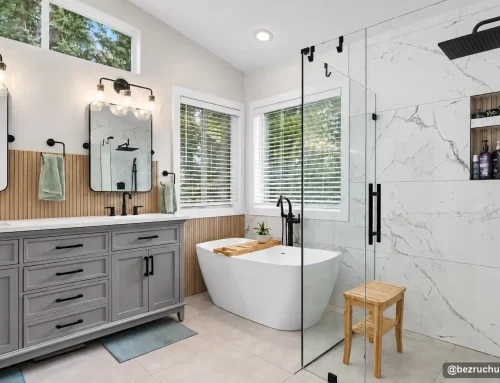
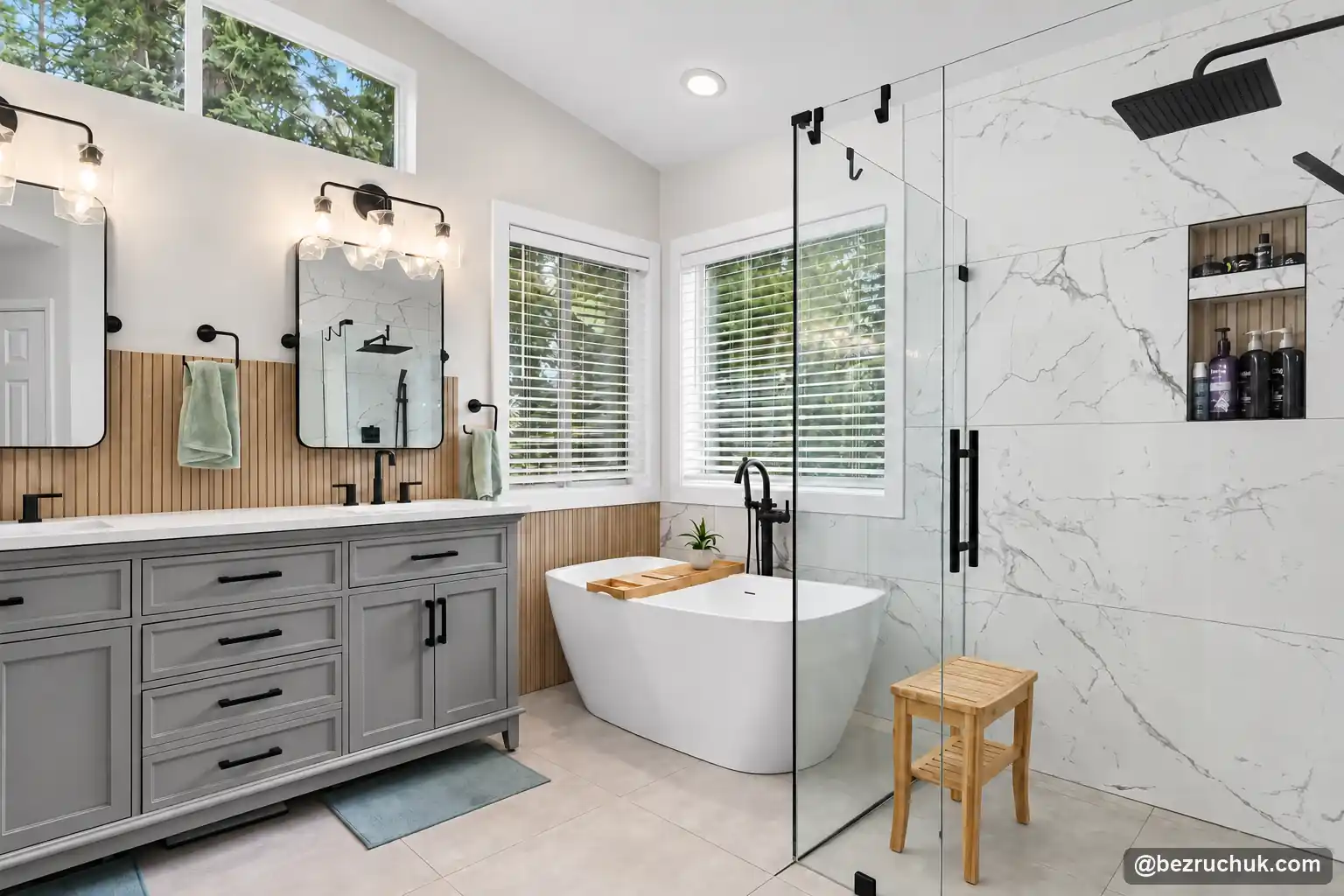
Our kitchen remodel cost calculator can help frame the broader renovation budget. Treat technology upgrades as a separate allowance to review against the final scope. For completed-room inspiration, explore the curbless shower project. Its finished layout offers inspiration for the room around the technology.
Bezruchuk Inc. can discuss these decisions as part of a Washington kitchen, bathroom or home remodeling project. Bring your preferred features and current equipment information when you request a project quote, so the construction scope and specialist installation requirements can be reviewed together.
Smart home upgrades: common homeowner questions
Are smart home upgrades worth the investment?
They can be worthwhile when they solve a recurring problem, such as lights left on, uneven comfort or an unnoticed plumbing leak. Savings and convenience depend on the home, equipment and settings. Treat resale value as a possible benefit, not a guaranteed return, and start with the features you will actually use.
What is the best smart thermostat to install in 2026?
Choose an ENERGY STAR certified model that supports your exact heating and cooling equipment. Compare wiring, heat-pump and auxiliary-heat controls, room sensors, manual operation and your preferred app. There is no single best model for every home; compatibility matters more than a brand ranking.
Can I add smart radiant floor heating in an existing home?
Yes, but it is usually best planned when the flooring is being replaced. The installer must check the subfloor, floor height, electrical supply, heating layout, sensor location and floor-covering limits. A compatible floor-heating thermostat controls the system; a central HVAC thermostat is not a substitute.
Are smart switches better than smart bulbs?
Switches are often convenient for permanent room lighting because people can use a familiar wall control. Bulbs suit lamps, color changes and simpler installations. Compare wiring and dimming compatibility before choosing. A smart bulb normally needs continuous power for its connected features.
Will a leak sensor shut off the water automatically?
A standalone sensor usually sounds an alarm or sends a notification. Automatic shutoff requires a compatible valve or a system designed to close the water supply. Confirm how the chosen equipment detects leaks, whether it needs internet or power, and how you reopen the valve after an alert.
What happens to smart home systems during a power outage?
Mains-powered devices stop unless their circuits have suitable backup power. Battery-powered devices may retain their local functions, while internet-dependent alerts need a working network. A router battery backup does not power the heating equipment or the whole house. Check each device and its manual fallback separately.
Can I integrate all my smart devices into one system?
Some devices can share a platform, but compatibility is specific to the model and feature. Matter can help compatible products work across supported platforms. Matter-over-Thread devices also need a Thread border router. Advanced settings or remote access may still depend on the manufacturer app or service.
Do smart smoke detectors work better than regular ones?
Connected alarms can add phone alerts and status information, but smart features alone do not establish better fire detection. Correct placement, compatible interconnection, working backup power and regular testing remain essential. Choose approved equipment for the installation and follow manufacturer instructions and local requirements.
Are smart upgrades covered under my remodeling warranty?
Review the written scope and warranty before installation. Workmanship coverage, manufacturer hardware coverage and app or cloud-service support are separate issues. Confirm who handles setup, troubleshooting and replacement, and keep the model numbers and warranty documents with the project records.
How do I start planning smart upgrades for my remodel?
List the problems you want to solve, choose a preferred control platform and identify features that require access behind walls or below flooring. Ask the remodeling team to separate device costs, wiring, plumbing, permits and setup in the estimate. Begin with a few useful upgrades and document the finished system.